How to Change Your Password
Email
Mid-Rivers email customers can easily change your password by logging into the Customer Panel at https://cp.midrivers.com
To login, you will need your Account Number, email address, and current email password.
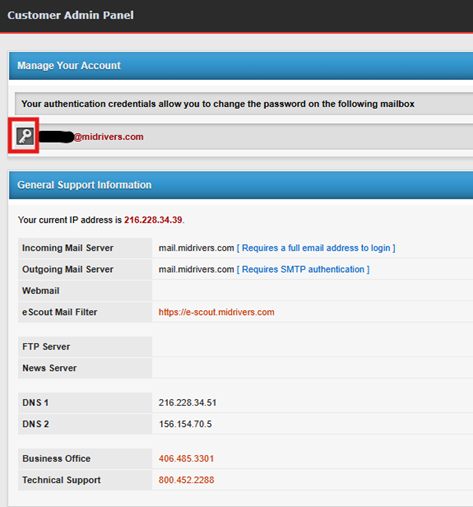
Once you are logged in, select the Key Icon next to your email address.
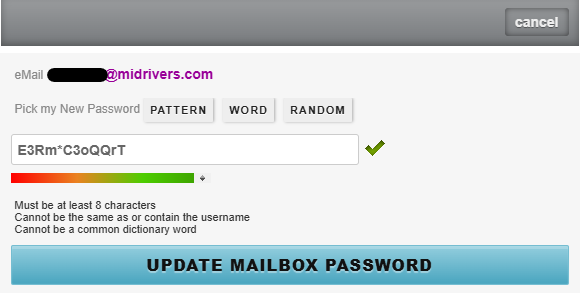
A dialog box will appear where you can update your password. The system will auto-generate a random, unique, secure password for you that meets required security standards. While you can manually update your password to the password of your choice, WE STRONGLY RECOMMEND USING THE SYSTEM-GENERATED PASSWORD for the highest level of security. Weak and re-used passwords are the most common reason email accounts get hacked. If your email account gets hacked, you risk having your email address "blacklisted" by other email providers (which means recipients won't get your legitimate emails), and we may even have to suspend your email account. You can save your new unique password in your email client, or use a free password manager service or save your unique passwords in your browser's password vault so you only have to remember one long, unique password or passphrase.
If you do decide to create your own password, it must be at least 8 characters in length, cannot contain the email username, and cannot be a common dictionary word. Make sure to click the "Update Mailbox Password" button to save the new password.